Categories
SMS

SMS – FAQ

1. What should I do first?

2. What should I do if my follow-up doesn’t work?

3. What is My Space (web platform) or My Documents (mobile application)?

4. Where are my care pathway and administrative documents?

5. What is the Checklist?

6. What is the tracking part (web platform and/or mobile application)?

7. What are alerts?

8. What’s messaging?

9. What is the “Get Callback” button?


Preamble:

It is possible to access your Maela tracking in two different ways: either via the web platform (connection via www.maela.fr) or via the mobile application available on the iOS and Android stores.

1.  What should I do first?

When you log in for the first time you must change your password for security reasons and accept the terms and conditions of use. It is important to remember your username and new password.

Then you must access the “My Account” section and make sure that all your information is filled in. This information is very important for your medical follow-up especially in case of any problems, so take the time to review and complete it.

You can then navigate through the different tabs in your monitoring area to discover the application.


2.  What should I do if my follow-up doesn’t work?


You should contact your follow-up centre. The contact number can be found on the information sheet given to you by your practitioner or their secretary. You can also contact your practitioner or secretary to check that your profile is working properly. You will find their contact details in the contact section.

3. What is My Space (web platform) or My Documents (mobile application)?


In these sections you will find all the useful information selected by your doctor and your hospital to help you to prepare yourself as well as possible.

4. Where are my care pathway and administrative documents?


Your hosptial and your practitioner have added documents that explain your care pathway. These can be found in the “My space” tab. These documents will allow you to prepare for your hospital stay as well as to better understand your condition, your surgery or your treatment. On the application, these documents can be found on the “Documents” icon, which you can access by pressing or clicking.

5.  What is the checklist?


The checklist is a list of tasks to be performed before your operation.

It is therefore essential that you complete all the tasks listed by your hospital and complete your checklist so that all the boxes are green. The checklist should be completed at least 10 days before your operation date, whenever possible. You can find more information by clicking on the task to be performed or on the question mark (web platform). If the task does not directly relate to your operation, it is still necessary to complete the checklist before D-day.

6. What is the tracking part (web platform and/or mobile application)?


It is a simple and safe space, where you can perform all the tasks necessary for your medical follow-up. You will find 6 modules:

  • Checklist: Before your operation it is essential to perform all the tasks listed and to complete your checklist so that all the boxes are green. The checklist must be completed at least 10 days before the operation whenever possible.
  • Tests (platform only): If your doctor asks you to perform tests after your operation you can share them with him/her by uploading them directly to the platform. Simply click on the upload button and choose the file to be uploaded. The date written on the module reminds you of the deadline to send it to them. If it is an important analysis you can select the option “notify the practitioner of the addition” so that they receive an alarm.
  • Treatments (application only): your doctor can set reminders for your treatments to help you follow it.
  • Measures: Measures are the measurements that your doctor asks you to report as part of your follow-up. The date on the module tells you when your next measurement is due. This could be weight, temperature or blood pressure, for example.
  • Photo: This space allows you to share photos with healthcare professionals in a totally secure way. This may be a wound or a bandage. The photos uploaded to the platform are only visible to a nurse or your doctor.
  • Attachment (platform only): This space allows you to share attachments with your practitioner. These could be prescriptions or reports. The date on the module is the date of the last attachment loaded on the platform.
  • Questionnaires: This space allows you to answer follow-up questionnaires designed by your practitioner. The date on the module is the date on which the questionnaire must be entered. It is essential to answer it on the date indicated otherwise it will trigger an alert.

7. What are alerts?


This section centralizes the alerts related to your monitoring. There is usually a message accompanying the alert that is important to read because it usually includes recommendations on what to do.

There are 4 levels of alerts.

  • Danger (red): this type of alert is to be taken seriously as it can potentially affect your health. In the event of a red alert, the follow-up nurses will contact you and notify your practitioner.
  • Warning (yellow): An abnormal event has occurred and requires special monitoring. It is possible that a nurse will contact you to give you a further update.
  • Information (blue): This alert is providing information for you to consider. Messaging (green): It tells you that there is a new message to be reviewed in your messaging space.

Alerts are triggered for 2 main reasons:

  • One of your measurements or answers to a questionnaire is outside the threshold defined by your practitioner.
  • You have failed to complete a task on time.

8. What is messaging?


The messaging system is a dedicated function to keep you in contact with the follow-up nurses and your practitioner.

The “Messaging” part allows you to exchange written messages with nurses if necessary. Your message goes up on the nursing platform and will be processed as soon as the nurses have read it. Your doctor will also be able to contact you via the messaging system or take part in the conversation if necessary. At the end of an exchange of messages you must close the conversation to indicate that you have received the desired answers.

9. What is the Get Call Back button?


On the application this button is at the bottom of the main menu.

On the platform it is within the “Messaging” tab.

By pressing this button a signal is sent to the nurses to contact you by phone. Make sure that you have your personal phone nearby, switched on and with a signal. It may take a few minutes depending on the time of day, but don’t worry. If the callback time is too long or if you are out of office hours, you can contact your monitoring centre directly at the number indicated on the information sheet.

In case of a medical emergency call 999. These services are not intended to replace the emergency services.
Categories
SMS - Baria

SMS – Baria-E-047 Weight loss surgery and pregnancy

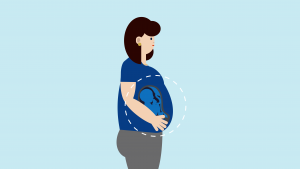
Bariatric surgery can produce a positive change in your fertility. Several studies have found that women with obesity-related fertility issues start ovulating regularly for the first time in years after having bariatric surgery. However, it is important to wait at least 12 months after surgery, and to be sure that your metabolism has stabilised, before trying to become pregnant.

Pregnancy after bariatric surgery is safe — after 12—24 months

After bariatric surgery, your body goes through some potentially stressful changes and significant nutritional upheaval, which can pose problems for a growing baby. To protect you and your baby from the risk of malnutrition, doctors recommend that women avoid pregnancy for 12—24 months after having bariatric surgery.

Long-acting contraception is strongly recommended

If you become pregnant

If you are planning to become pregnant after your post-surgery weight stabilises, it is highly recommended that you remain under the care of a multidisciplinary health care team. It is crucial that your take multivitamin and mineral supplements and that you are regularly monitored by a specialist for deficiencies.

REFERENCES:

Categories
SMS - Baria

SMS – Baria-E-098 My daily activity programme – phase 1

Daily activities and exercising before weight loss surgery is, of course, important for your health. But it is also a first step towards preparing your mindset for what is to come after surgery.

Being physically active helps keep your heart and lungs healthy, it ensures healthy bone density and joint mobility, and it alleviates stress, anxiety, and depression. Fortunately, it doesn’t take much to make a noticeable difference. Start by changing position frequently and generally moving more.

Here’s a daily activity regimen you might follow over the next few weeks.


Daily activities

Make sure to perform normal daily activities such as washing up, cooking for yourself, grocery shopping, and so forth.

There are plenty of ways to incorporate physical activity into your everyday life. If you can, take the stairs instead of the elevator and park your car a little further away from the store and walk the rest of the way. Do things that keep you moving and change positions at least once every hour.

Categories
SMS - Baria

SMS – Baria-E-062 Surgical treatment options for obesity

In the case of significant obesity, bariatric surgery may be worth considering. To qualify, you must meet the following criteria:

  • Have a body mass index (BMI) higher than 40 or a BMI of 35 with associated complications such as type 2 diabetes. Lower BMI may be considered in special circumstances.
  • Be age 18 to 65. Outside this range will be assessed individually.
  • Have no psychological issues that would make bariatric surgery inadvisable.
  • Reasonable surgical candidate. Full pre-operative individual surgical risk assessment before final decision is made
  • Suitable for general anaesthetic, again individual risk assessment necessary before final decision is made.


Bariatric surgery will only be considered if you have attempted, unsuccessfully, to lose weight using specialised medical treatment for several months (with dietary monitoring, physical activity, and psychological therapy). The decision to operate is made jointly by you and your attending physician, surgeon, endocrinologist, nutritionist, and psychologist or psychiatrist.

Weight loss goals

The goal of obesity treatment is to reach and maintain a healthy weight. You will need to work with a team of health care professionals — including a dietitian, behaviour counsellor or an obesity specialist — to help you understand and make changes to your eating and activity habits.

Bariatric surgery does not guarantee a certain amount of weight loss.

The surgery is a catalyst for weight loss – ultimately it is up to you to reach your weight-loss goals. Success depends on personal motivation and effective behavioural change.

Risks and complications

As with any major surgery, weight-loss surgery has risks. Complications are rare yet can become significant due to obesity. Conditions such as diabetes, hypertension and sleep apnoea tend to increase the risk of complications. Thorough pre-surgical preparation along with careful follow-up can reduce the risks. However, it is important that you fully understand all potential risks in order to make an informed decision.

Your skilled surgical team will, of course, do everything they can to avoid complications. If a problem does occur, your surgical team will seek to resolve it as quickly as possible.

Categories
SMS - Baria

SMS – Baria-E-057 Introduction to obesity

Whether it is considered a risk factor for other diseases (World Health Organisation ­ WHO) or a disease itself (World Obesity Federation), obesity is recognised as a serious personal and public health concern. Obesity is defined as body fat accumulation that negatively impacts a person’s health and social and psychological well-being.

The obesity rate is growing in most countries and 28% of adults in the UK are living with obesity. On a global scale, it is predicted that 18% of men and more than 21% of women in the world will obesity by 2025.


Body mass index (BMI)

Body mass index (BMI) is a simple indication of weight-for-height commonly used to classify overweight and obesity in adults. It is calculated as a person’s weight in kilograms divided by the square of their height in metres (kg/m2).

BMI provides the most useful measure of overweight and obesity for the population and is calculated the same way for both genders and for all ages of adults.

A person with a BMI of 30 or higher is considered to have obesity. As BMI increases, so does the severity of obesity. A person with a BMI higher than 35 and obesity-related conditions or a BMI higher than 40 may be a candidate for weight loss surgery.


Categories
SMS - Baria

SMS – Baria-E-052 My surgery: Gastric Sleeve

The sleeve gastrectomy, also known as the gastric sleeve, reduces the size of the stomach by around 80%. This means you feel full more quickly (increased satiety) and you experience a decrease in appetite. The procedure is usually performed laparoscopically and takes between 60 and 75 minutes to complete. This procedure has shorter operating times, lower complication rate and faster recovery times compared to other bariatric procedures.


Categories
SMS - Baria

SMS – Baria-E-051 My surgery Omega loop gastric bypass

OMEGA LOOP GASTRIC BYPASS (Mini-gastric bypass)

The procedure

The omega loop gastric bypass, or mini-gastric bypass, is an alternative to the Roux-en-Y procedure and consists of two steps: reduction of the stomach and looping of the small intestine to connect to the smaller stomach.


  1. The stomach is divided along its entire length, creating a long narrow tube.
  2. A loop of the small intestine is then brought up and attached to the newly created stomach tube. This process bypasses the upper part of the intestine while still enabling drainage of digestive juices from the detached part of the stomach.


Categories
SMS - Baria

SMS – Baria-E-050 Gastric banding

GASTRIC BANDING (LAPAROSCOPIC ADJUSTABLE BAND OR LAP-BAND)

Gastric banding is a restrictive surgical procedure that uses a band to reduce the size of your stomach without cutting or stapling. The aim is to slow and limit the amount of food that can be consumed at one time, helping you feel full faster and stay satisfied for longer periods of time, thus promoting gradual weight loss.


The procedure

An inflatable band is placed around the upper part of the stomach to make the stomach pouch smaller. It is adjustable (adjustments can be uncomfortable) and can be adapted to suit the individual patient. You will have a port attached to the band that is placed flat against the muscle wall, below the fat and skin of your abdomen. The band is adjusted or tightened by either adding or removing fluid through the port. It will need to be adjusted periodically to control hunger and enable weight loss to progress in the months following your surgery. Your first adjustment will be around 4–6 weeks following surgery, giving your body time to heal. It is common to experience swelling around the band.

Categories
SMS - Baria

SMS – Baria-E-049 My surgery details: gastric bypass (Roux-en-Y)

The Roux-en-Y gastric bypass is one of the most common weight loss surgical procedures. It results in weight loss by significantly reducing the size of your stomach, so you cannot eat as much, and by bypassing your small intestines, so you absorb less fat from the foods you eat.


The procedure

This procedure comprises two steps: partitioning of the stomach and reconstruction of the gastrointestinal tract.

    • A small pouch is created from the upper stomach using staples. This process leaves the larger part of the stomach non-functional.
    • The small intestine is divided into two parts. One end is then attached to the stomach pouch. The other end, which is still connected to the part of the stomach that is no longer functional, is reattached to the intestinal tract to enable drainage of the digestive juices.

Categories
SMS - Baria

SMS – Baria-E-043 Managing pain

In the days immediately following bariatric surgery, you may feel pain where the incision was made or from the position your body was in during surgery. Some patients may also experience neck and shoulder pain after having a laparoscopy.  

Your comfort is very important to your health care team.

Although there will always be some discomfort after an operation, keeping your pain under control is necessary for your recovery. When you are comfortable, you are better able to take part in activities such as walking, deep breathing, and coughing, all of which are imperative for a quick recovery.

Here are some tips to help you feel more comfortable

  • Tell your nurses and physicians if you have pain, particularly if it keeps you from moving, taking deep breaths and generally feeling comfortable.
  • Everyone is different, so keep your nurses informed about how you feel. That will help them help you.
  • Plan ahead for pain – if you are comfortable lying down, you may still need some pain medication to get up and walk around.
  • Keep ahead of the pain. Don’t wait for the pain to be at its worst. Pain medication works best when used to prevent pain.
  • The risk of becoming addicted to pain medication is very low when it is used for a specific medical purpose, such as for post-surgery pain management.